Add GA4, Meta Pixel and 6 more tags to WordPress without code
Switch on GA4, GTM, Google Ads, Meta Pixel, TikTok, Microsoft UET, LinkedIn and Snap in Omea Consent Pro – paste an ID, consent is handled for you.
Omea Consent Pro replaces copy-pasted tracking snippets with integrations: turn a platform on, paste its ID, and the tag loads with the visitor’s consent handled for you. Integrations send page views; conversions are set up separately.
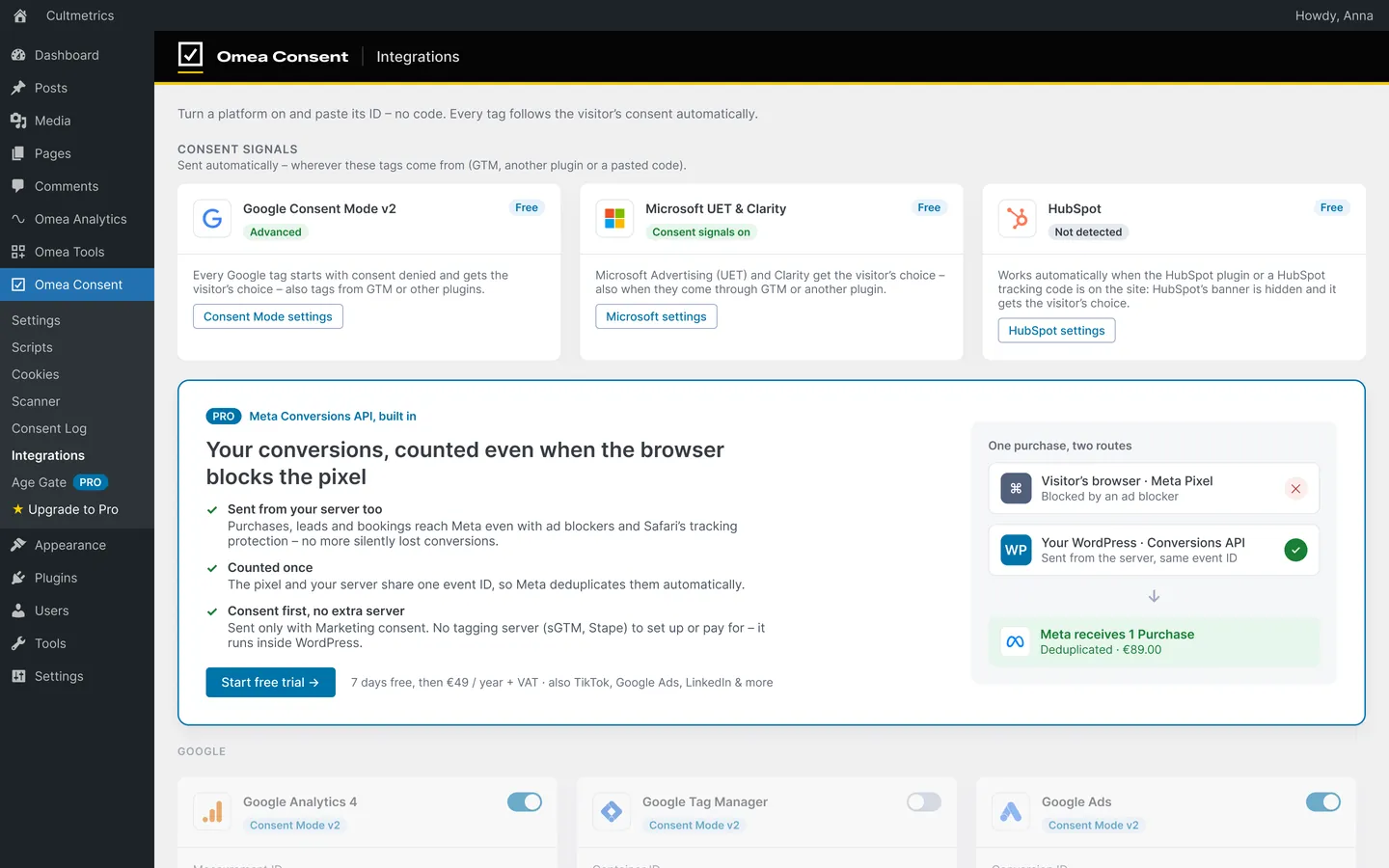
Add a tag
- Open Integrations Go to Omea Consent › Integrations.
- Switch on a platform Turn on the switch in the platform’s card header.
- Paste the ID Enter the ID in the format shown – for example
G-XXXXXXXXXXfor GA4 or the 15-digit Meta Pixel ID. An invalid ID can’t be switched on. - Choose how it loads For GTM, Meta, TikTok and Microsoft UET, pick when the tag loads. The default is the safest choice.
- Save Click Save changes in the top bar.
Platforms and IDs
| Platform | ID field | Format | Loads |
|---|---|---|---|
| Google Analytics 4 | Measurement ID | G-XXXXXXXXXX |
With Consent Mode v2 |
| Google Tag Manager | Container ID | GTM-XXXXXXX |
After the first consent, or right away with Consent Mode |
| Google Ads | Conversion ID | AW-123456789 |
With Consent Mode v2 |
| Meta Pixel | Pixel ID | 10–20 digits | After Marketing consent, or own consent mode |
| TikTok Pixel | Pixel ID | CXXXXXXXXXXXXXXXXXXX |
After Marketing consent, or own consent mode |
| Microsoft Advertising (UET) | UET tag ID | 5–15 digits | After Marketing consent, or own consent mode |
| LinkedIn Insight Tag | Partner ID | 3–15 digits | After Marketing consent |
| Snap Pixel | Pixel ID | a UUID | After Marketing consent |
Each card shows a badge with its current behaviour: Consent Mode v2, After consent, After Marketing consent or Own consent mode.
How Google tags load
GA4 and Google Ads share one gtag.js and follow Google Consent Mode v2:
- In advanced mode (the default) they load right after Omea’s denied defaults and send cookieless pings until the visitor chooses.
- In basic mode they wait: GA4 for Statistics, Google Ads for Marketing.
Google Ads also offers Pass ad click info in URLs when cookies are denied (url_passthrough) and Enhanced conversions, both off by default.
For GTM, choose between After the visitor’s first consent (safest) and Right away with Consent Mode – see Google Tag Manager consent mode on WordPress.
How other tags load
Meta, TikTok, Microsoft UET, LinkedIn and Snap load after Marketing consent by default. Meta, TikTok and UET can instead use the platform’s own consent mode – the script loads at once and the platform holds cookies and events until consent. See Own consent mode for Meta, TikTok and UET.
Good to know
- Tags never load in the WordPress admin, or for roles you’ve hidden with Hide banner for roles.
- Remove the same tag from your theme, another plugin or Scripts so it doesn’t load twice. The Pro setup does this for tags pasted in Scripts.
- GTM’s
<noscript>iframe isn’t added – without JavaScript there are no consent signals. - Missing a platform? Click Suggest an integration at the bottom of the screen.